
Home » Register
BASA8 Register: Create Your Account in Minutes on Mobile
Start your BASA8 register process with a simple, mobile-first onboarding checklist
Ready to BASA8 register on your phone? This page explains what you need, how to sign up in minutes, and why verified details help with quick withdrawals later. Keep your mobile number nearby for OTP, choose a strong password, and use the same legal name you use for local wallets to avoid payout delays.
You can start from the BASA8 official site or the app, then complete a short form and confirm by SMS or email. For a direct starting point, tap the BASA8 Official Link. Accounts are name-matched for safety, and support responds fast if you have questions during sign-up.

Why creating a BASA8 account gives you faster access, safety, and rewards
Registering once sets you up for secure play, quick access to markets, and member-only rewards that non-logged-in visitors never see.
Verified identity for safer play and quicker cash-outs
Using your exact legal name protects your account and helps payments move without extra checks. Name-match with your wallet or bank means fewer holds and smoother withdrawals.
Cricket-first odds, faster bet slips, and personalised markets
After login, your favourite teams and leagues stay pinned. Cricket comes first, so pre-match and live markets are easy to reach and quick to place.
Member-only bonuses, missions, and regular price boosts
Creating an account unlocks exclusive BASA8 bonus promotions, daily missions, and event specials you can’t access as a guest.
One login across web and BASA8 app with synced settings
Start on mobile data, continue on Wi‑Fi. Your preferences, favourites, and bet history sync across the BASA8 app and site for consistent use.
Helpful local support that answers fast when you need it
Live chat and message support are easy to reach from your profile. Expect clear guidance on account checks, deposits, and withdrawals when you ask.
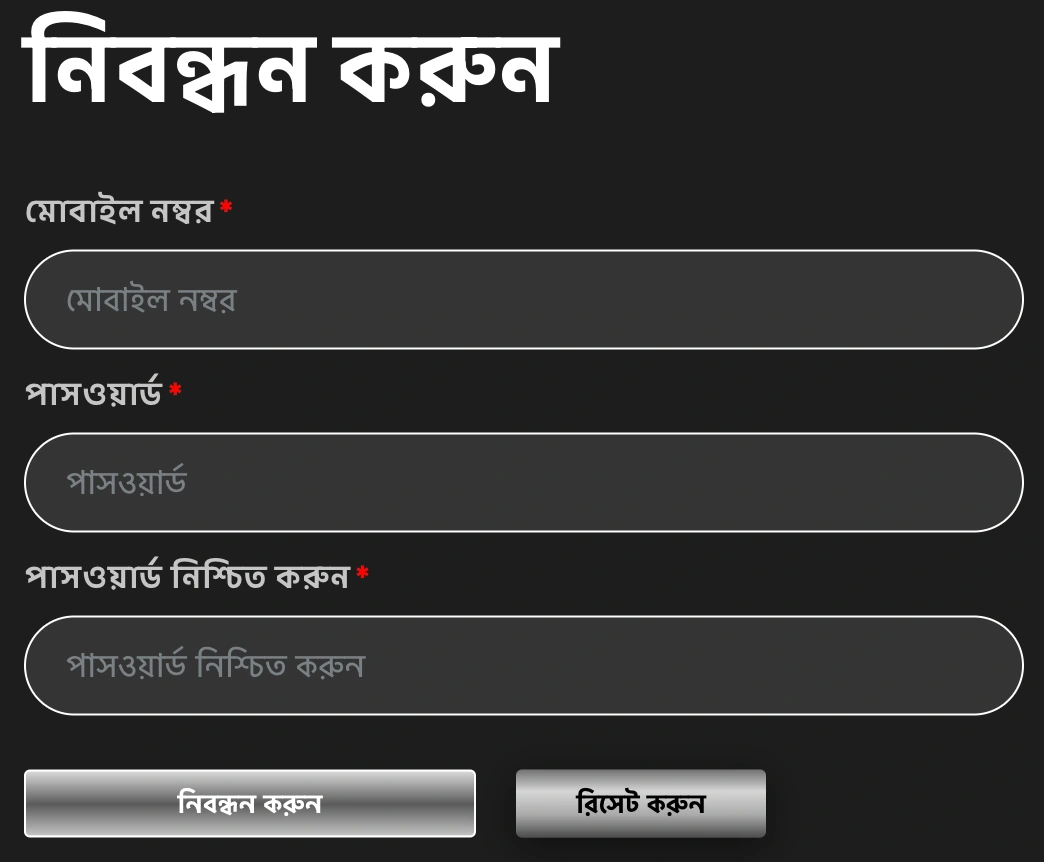
Step-by-step guide to BASA8 sign up with your mobile phone
- Go to the BASA8 official site or open the app, then tap Register on the top area of your screen.
- Choose to register with your mobile number or email. Enter the code sent by SMS or email to confirm ownership.
- Create a strong password that you can remember. Avoid using the same password from other sites.
- Type your full legal name exactly as on your NID and the wallet or bank account you plan to use for payouts.
- Select currency and time zone. Set optional deposit or time limits now for better control later.
- Confirm you are 18+, read the terms, and submit the form to open your BASA8 new account.
- Complete verification steps shown on screen. After OTP confirmation, you can log in, explore markets, and verify documents later if requested.
What the BASA8 Register button does and the quick next steps
When you tap the BASA8 Register button, a short form opens. You will enter your mobile or email, create a password, and add your full legal name and date of birth. No payment is needed to open your profile. After submission, you will see a confirmation screen and your dashboard.
Next, check for an OTP or verification email. Once confirmed, your profile menu appears with deposit, withdrawal, and settings tabs. Prepare a clear photo of your ID for later verification if needed, and be sure your profile name matches your chosen wallet or bank to avoid payout issues.
How to log in after creating your account
Open the app or site, tap Login, enter your mobile or email and password, then confirm with OTP if prompted. Save the device for quicker BASA8 login next time.
Smart account setup tips for secure access and smooth future withdrawals
Prefer playing on the app? Install or update via the BASA8 APK for quicker access, lighter data use, and instant notifications.
- Match your profile name with the exact spelling on your wallet or bank to prevent withdrawal holds.
- Use a long password with numbers and symbols. Enable two-step verification or OTP prompts when available.
- Verify both mobile and email early. Keep your SIM active to avoid missing OTP codes.
- Set alerts for bet results and balance updates, but keep notifications lean to save battery and data.
- Choose realistic deposit and time limits. You can adjust them later from the responsible play settings.
- Save cricket teams, leagues, and markets you play most. Your bet slip fills faster when favourites are pinned.
- Finish document checks before your first larger withdrawal so payments move without delay.
What you unlock after creating a BASA8 account on mobile and web
Once you hit BASA8 register and verify your contact details, personalised tools switch on across your account. Expect quicker access to favourites, tailored suggestions, and saved bet preferences.
Get in fast for cricket and live markets
The BASA8 cricket hub puts top leagues and live markets up front. Your recent selections appear first, so you place bets with fewer taps.
Play hit slots and arcades from JILI and more
Open your account to try popular slot titles and arcade-style games from JILI and other studios. Your session history and game favourites carry between app and site.
Access trusted local payment choices when you are ready
After sign-up, you will see familiar wallet methods and bank options in the cashier. Deposit and withdraw within the same profile, with status updates shown in your history.
Personalised homepage, quick search, and app tools that save time
Logged-in users get a cleaner homepage, easier search results, and quick links to open bets, results, and support. It is all built for fast mobile use.
New members can also claim the current BASA8 welcome offer once eligibility rules are met. Check promo terms in your account before opting in.
Common BASA8 sign up questions from new players using mobile phones
Is it free to open a BASA8 new account?
Yes. Creating your account is free. You only deposit when you decide to play for real. You can browse markets and games first.
What do I need to create BASA8 account on my phone?
You need a working mobile number or email for OTP, a strong password, and your full legal name. Keep your ID ready for verification if asked. You must be 18 or older.
Can I sign up with someone else’s wallet or bank details?
No. The account holder’s name must match the payment name. Mismatched details can cause failed deposits or blocked withdrawals.
How long does verification take after I sign up?
OTP checks complete in minutes. If document review is required, it usually finishes the same day once photos are clear and readable.
I did not get my OTP code. What should I do?
Resend the code after 60 seconds, check signal and inbox folders, then confirm your number or email is typed correctly. If it still fails, contact support via live chat.
Ready to create your BASA8 account and start with confidence today
It takes only a few minutes to create BASA8 account, verify your contact, and set preferences. Keep your details consistent, and you will be ready to explore cricket markets, slots, and tools built for fast mobile use.
Join now to save favourites, track bets in one place, and get member-only updates. When you are set, log in and enjoy a smoother, more personal experience across the BASA8 app and site.